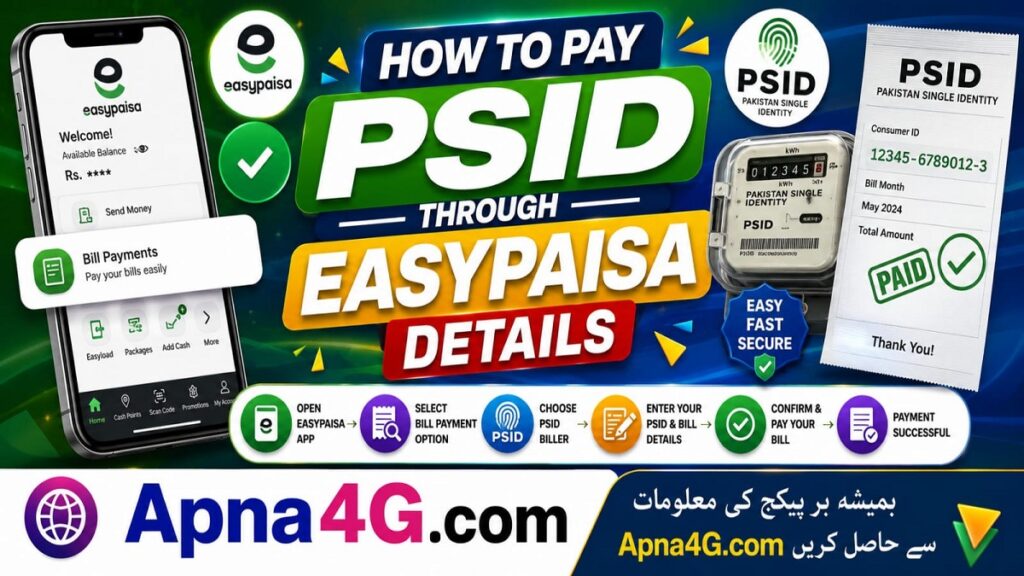
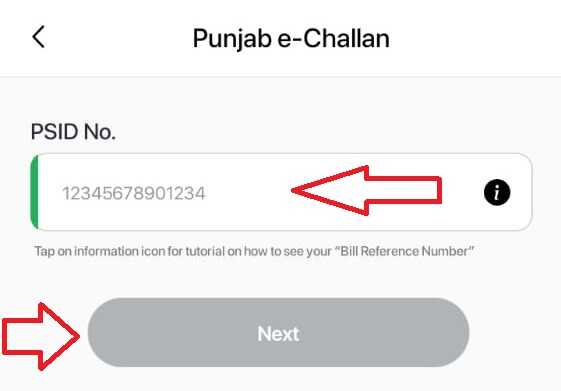
How To Pay PSID through Easypaisa – Open the Easypaisa app and click on the “Select all” option. Now in the bill payment section, you have to click on “Government Fees” and select Punjab e-Challan. Enter your unique PSID digits and click on next. Now click on “Pay Now” and you have successfully paid PSID through Easypaisa.
The government of Pakistan has introduce the concept of PSID for the payments of government affairs. PSID is a Government Fee, Challan, Tax, or other type of payment that you can easily pay through the Easypaisa app. Hence, you don’t need to visit the bank to pay the Government Fee, Challan, Tax, or another type of payment. All such payments can be made through Easypaisa in 2026.
PSID stands for Payment Slip ID which usually consists of 17 digitals. Easily is the 100% working source to pay all types of government taxes and challans. Hence, enter the PSID according to the method describe below and pay your challan/tax/payment today.
How To Pay PSID through Easypaisa
Follow these steps and Pay PSID through Easypaisa. There are only four easy steps that you have to follow:
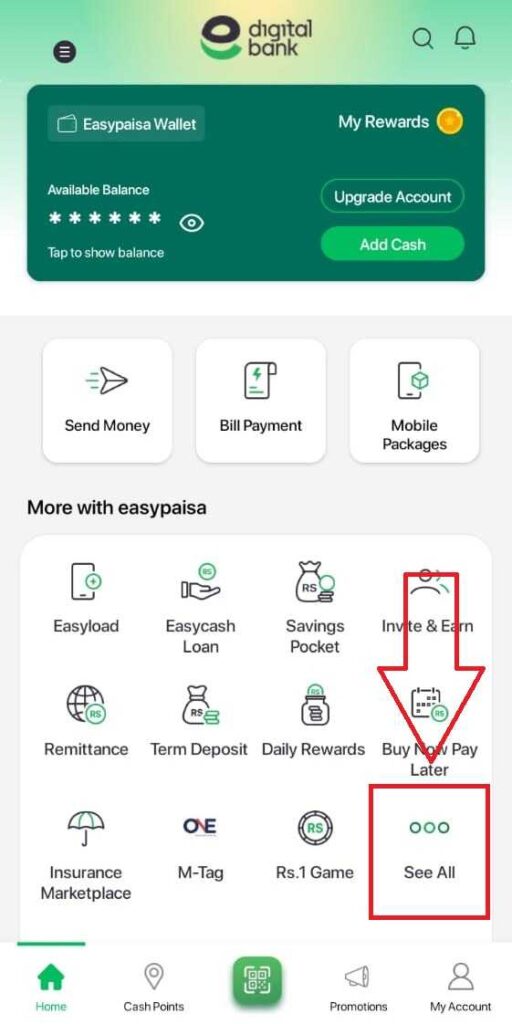
First of all, open the Easypaisa app and click on “Select All”
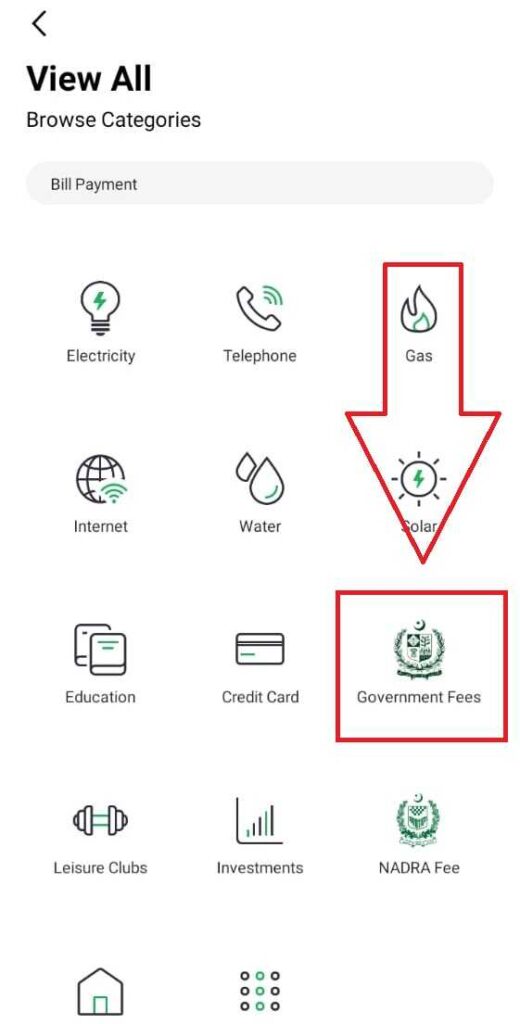
Now scroll down to the bill payment section and tab on “Government Fees”
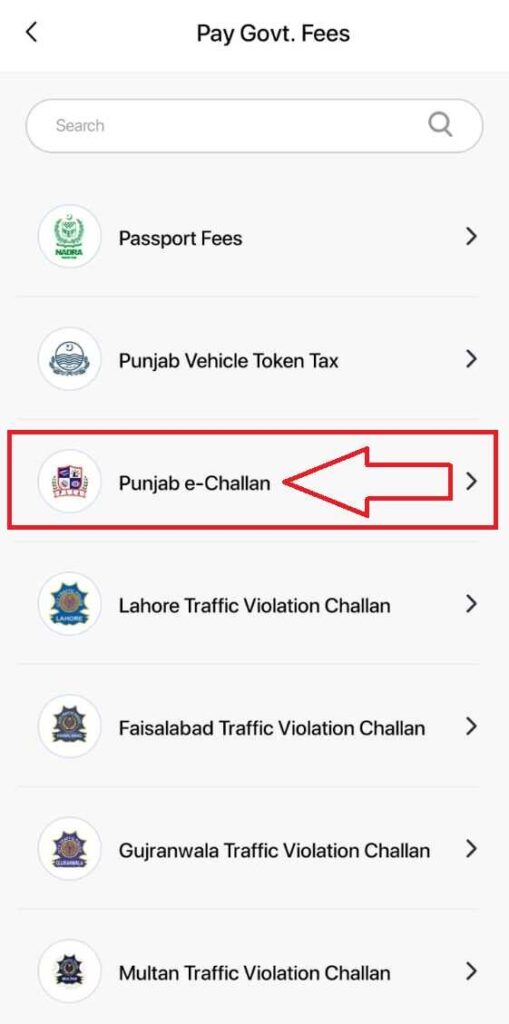
Select Punjab e-Challan from this list of all services provides by Easypaisa
Now Enter the PSID and click on the next button to pay the (Fee/Challan/Tax)
After paying the PSID through Easypaisa you will receive a paid receipt notification. I always suggest saving that receipt on your mobile phone. So that in future it remains as proof, you have paid the tax, fees or government challan.
Other Methods to pay PSID
You can use Jazzcash app or Banks to pay the PSID in Pakistan. Hence, there are many different methods to pay PSID which charges no taxes. However, we prefer Easypaisa service because the Easypaisa app is free and everyone can use it in all the cities/villages and areas of Pakistan.
Take A Look At: Pay ETEA Fee via EasyPaisa
Conclusion
In Pakistan, a citizen needs to pay many bills, government taxes, job-related challans, and other government challans. In the past there there was only one method to pay these challans. The person needed to visit post office to pay it. Time passes and banks give access to pay challans through PSID. And now it is 2026 and everything has become digital. That’s why, the Easypaisa service has introduce many services which gives access to the user to pay PSID through Easypaisa for free.